TL;DR
PondPilot lets analysts and engineers run real SQL on local and remote files — CSV, Parquet, JSON, DuckDB — entirely in the browser, with nothing leaving their machine. No setup, no servers, no upload.
As the only designer on a team of three engineers and a product owner, I owned design end-to-end: user research and the journey map, information architecture and flows, a full design system, and the shipped UI for the data explorer, SQL editor, filtering, metadata view, charts and onboarding.
The problem
Data people live between two bad options. Heavyweight BI and database tools need installation, servers and IT approval before you can look at a single row. The lightweight alternative — upload your file to some cloud — means handing sensitive data to a service you don't control.
Both are slow. Both create a privacy problem. And for the everyday task — "open this file, ask it a few questions" — both are wildly over-engineered.
The opportunity: give people the full power of SQL on their own data, instantly, with zero setup and zero data leaving the device.
Research
Method
Qualitative — in-depth interviews with data analysts plus usability testing of the working prototype, paired with a competitive UI teardown of comparable tools to map conventions to adopt and gaps to exploit.

10 years in business analysis, MBA in Business Analytics. She analyses claims data, customer demographics and healthcare trends at a European health-insurance company, collaborating across actuarial, finance and customer-service teams. Her organisation is mid-migration from SAS to Databricks — so she constantly works across shifting, semi-technical data sources.
What the journey surfaced
- Explore and trust data fast — no boilerplate, no setup waits.
- Finding the right field across many sources is real friction.
- Reuse work: save filters and queries, don’t rebuild them.
- Privacy — “where does my data go?” — matters in a regulated industry.
Customer journey
- 01ConnectAdd a file or connect a database.felt curious
- 02ObserveScan the table + metadata to trust the data.felt reassured
- 03SearchHunt the right field across many sources.felt frustrated
- 04ReuseSave filters & queries to run again later.felt in control
Information architecture & user flow
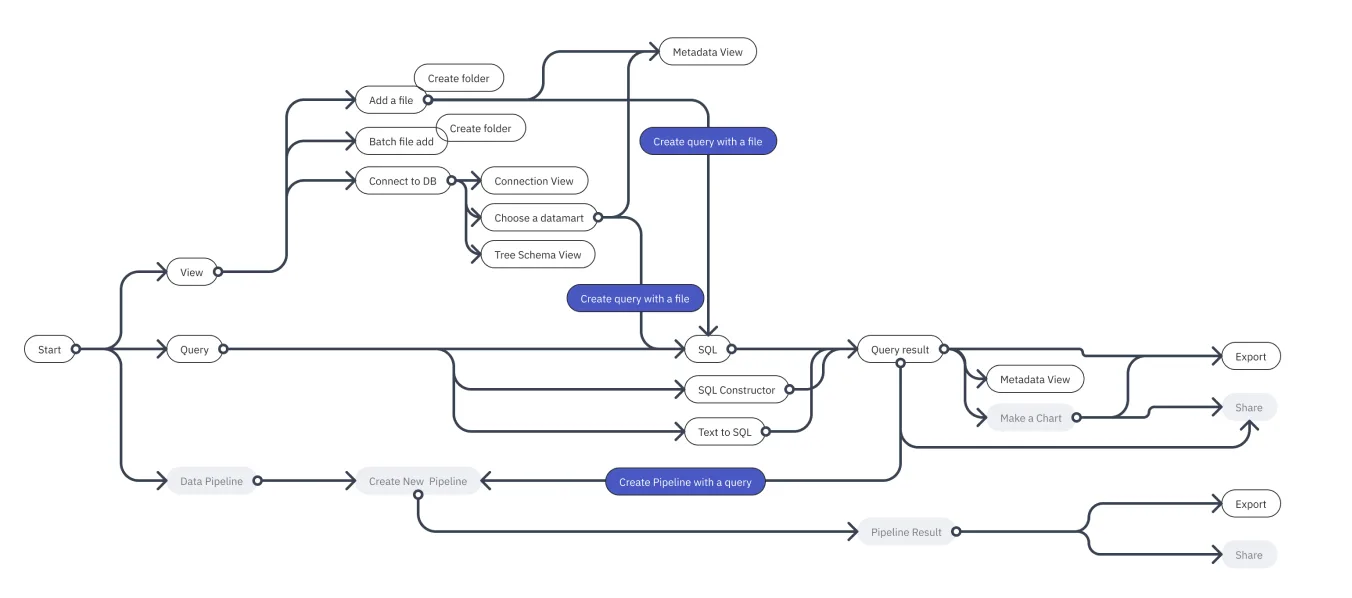
PondPilot is organised around three objects analysts already think in — data sources, queries, and results. A persistent left explorer stays put while the main canvas switches between table view, SQL editor and chart.
Core experience
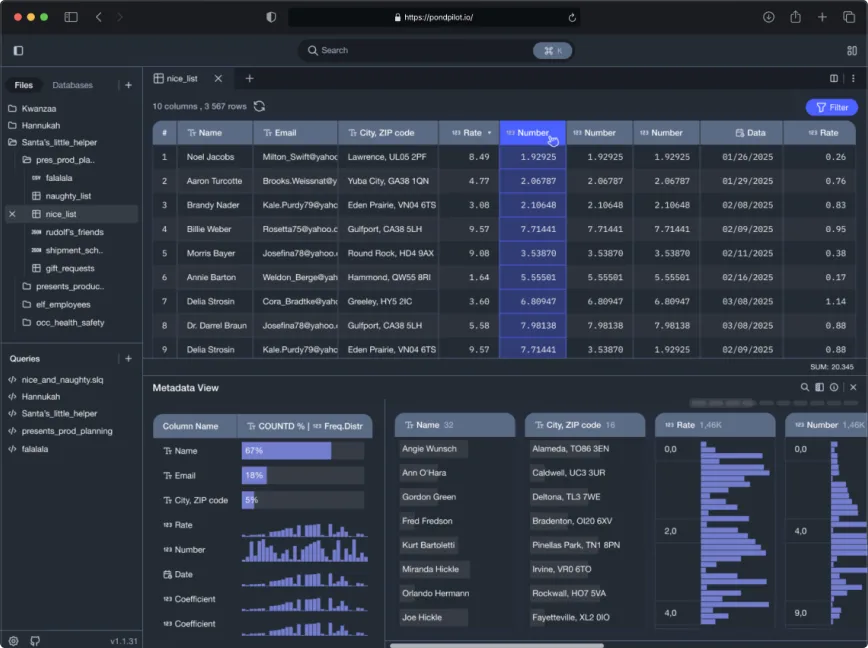
Explore & understand
A spreadsheet-like table with a Metadata view — column types, distributions, frequency, null and unique counts — so you grasp a dataset before querying it.
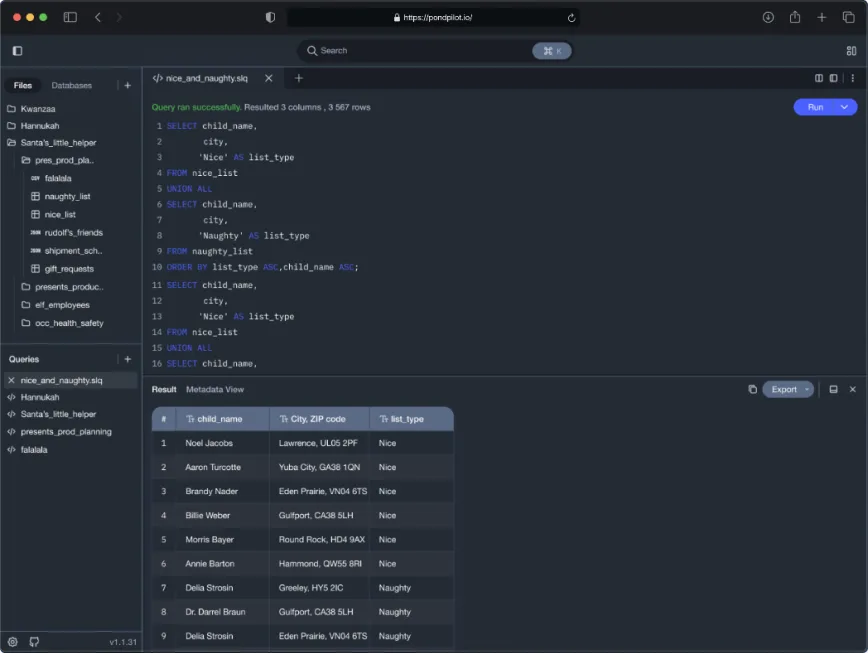
A real SQL experience
A Monaco-based editor with dialect-aware suggestions for operators and column names, run-all / run-selection, and results inline.
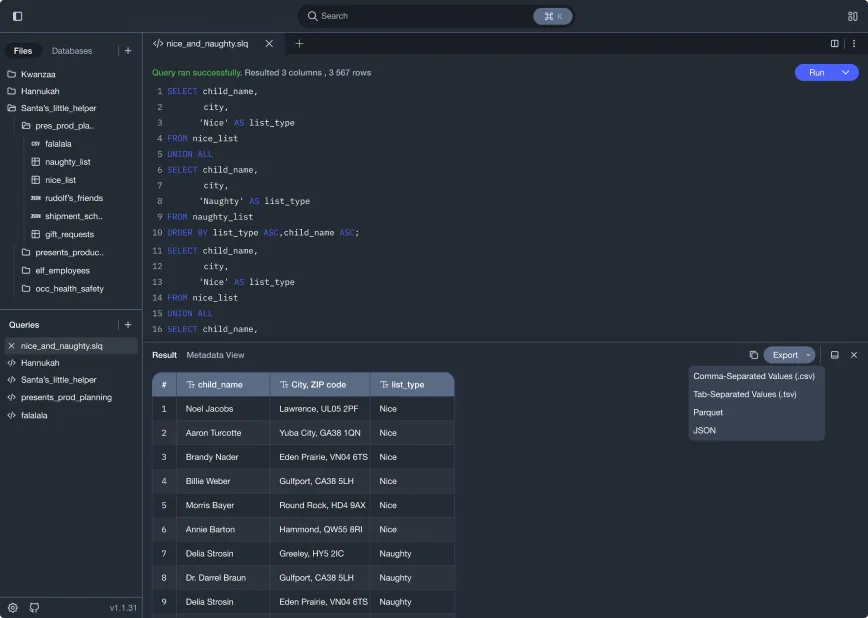
Get it out — export & copy
Click any cell, row or column and copy; export results in multiple formats — nothing trapped inside the tool.
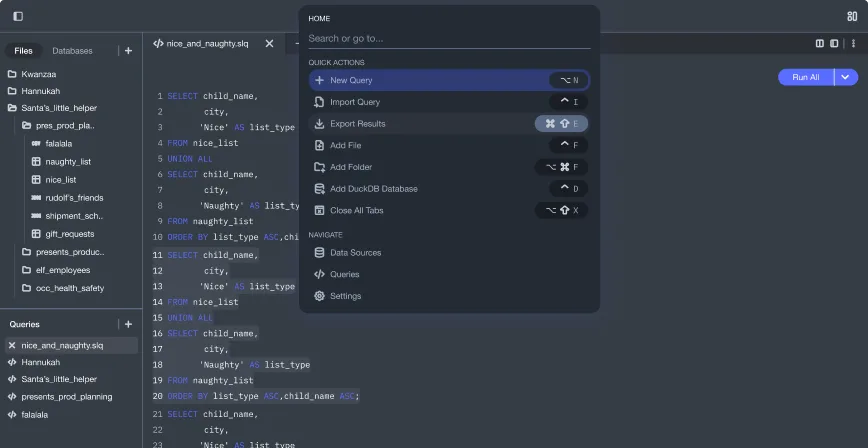
Command K palette — Go to anything
A single keyboard-first entry point to everything — queries, data sources, tables, columns, settings. Fuzzy matching, category-grouped results, recents first, and power-user prefixes (query:, table:, file:) to scope the search.
Settings
Shape PondPilot around how you work — theme, tables, SQL editor, data and exports. Sensible defaults, every change previewed live.
A system for notifications
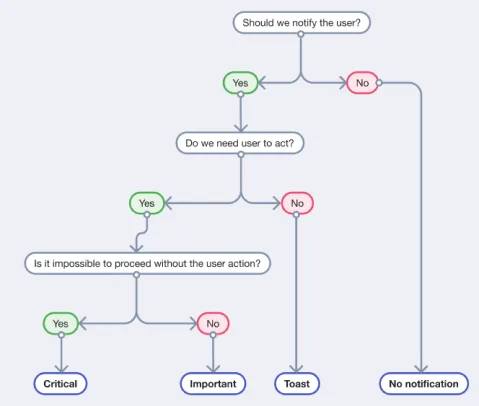
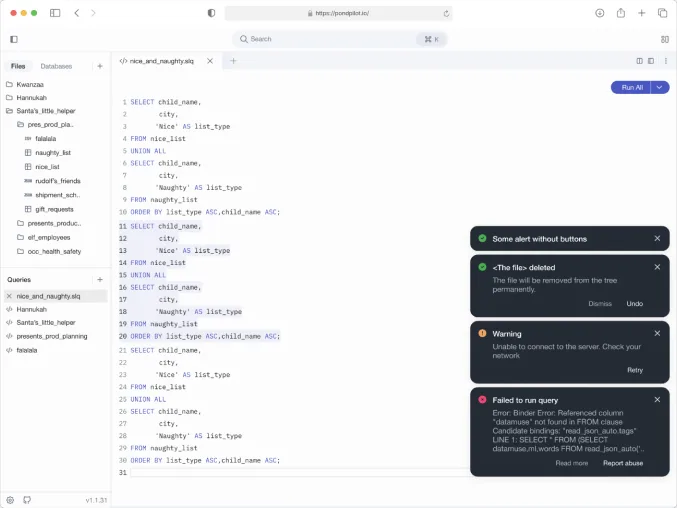
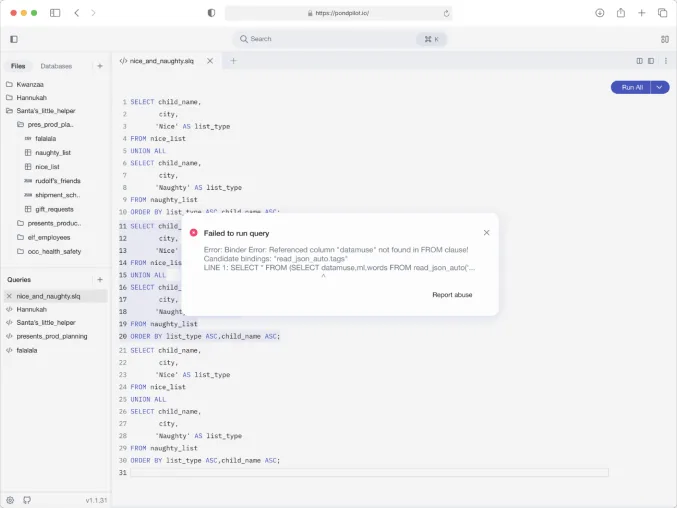
Rather than scatter alerts, I designed a decision framework for when and how to interrupt the user. Every system event maps to a consistent, proportionate response — critical errors block, successes whisper.
- Critical — blocking modal, no timeout — user must act.
- Important — tertiary action, auto-dismiss ~600–800ms.
- Toast — no action needed, 300–500ms.
- None — silent — nothing shown.
Visual system
A small, disciplined token system for a data-dense product — background, text, icon, border, brand and brand-tint scales, with full light / dark / system theming. Paired with a monospaced family for data, so columns align and numbers stay scannable.
Headers & text: Helvetica Neue (Bold, Medium, Light). Code: IBM Plex Mono (Bold, Regular).